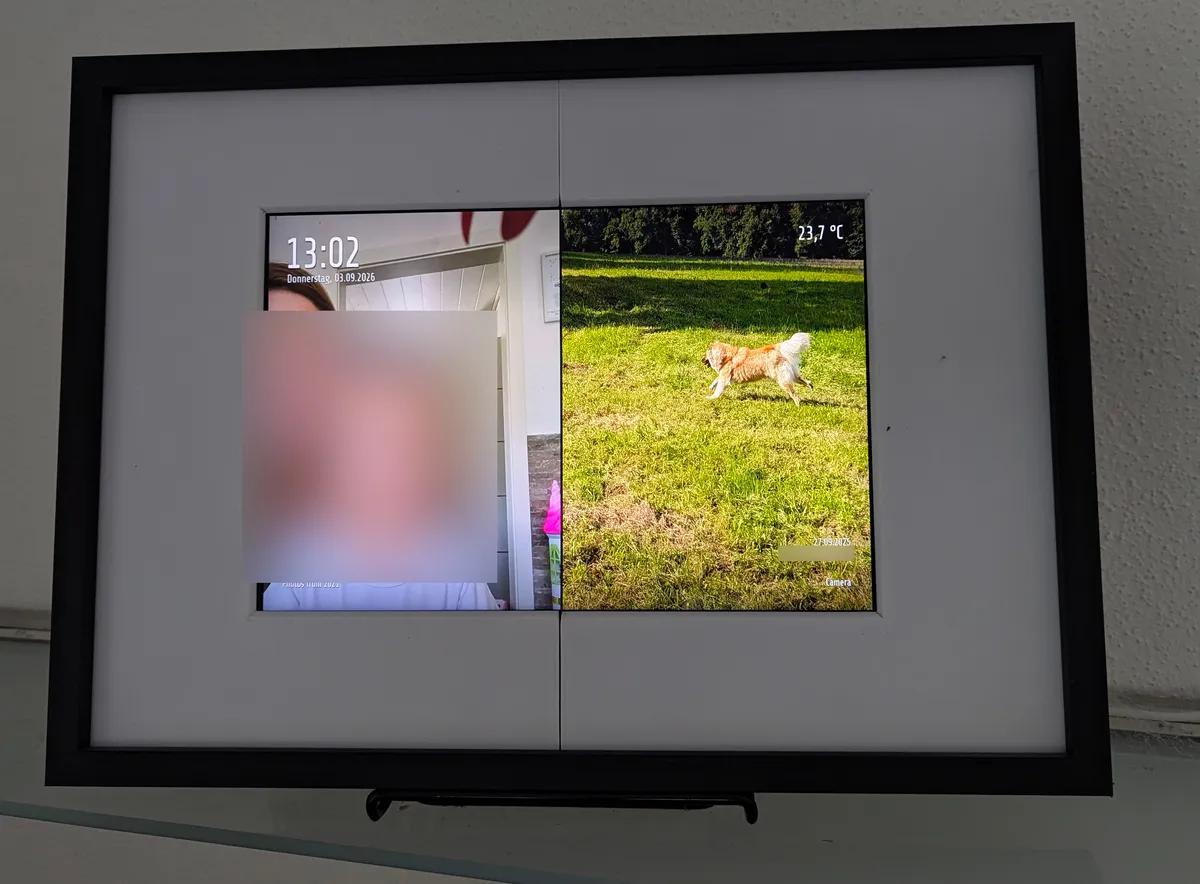
About a year ago I built a digital picture-frame out of an old Fire HD 10 tablet, Fully-Kiosk and Immich-Kiosk (post here). That lasted until the battery started to swell. I don’t want a puffy lithium cell charging 24/7 on my wall, and the tablet won’t run from the charger alone, so that was the end of iteration one.
Iteration two: a normal monitor on a Raspberry Pi Zero 2 W, still showing Immich-Kiosk in a browser. Worked fine for almost a year, then the SD card died.
This is iteration three. Same screen, same Pi, but no browser, and the OS lives entirely in RAM.
The finished frame
Why the SD card died
Iteration two ran Alpine, but not diskless. A browser writes all the time: logs, caches, session state. Running the OS from RAM would have fixed that, but Chromium on a 512 MB board doesn’t leave enough RAM for it. So everything sat on the card, the card got written around the clock, and eventually it gave up.
For the replacement I wanted two things:
- The OS runs from RAM. The SD card gets read at boot and never written.
- No browser. One small program fetches images from Immich and puts them on the screen.
The new stack
Alpine Linux in diskless mode. Root is a tmpfs, the boot partition is mounted read-only, and config only hits the card when I run lbu commit.
On top of that, immich-rust-kiosk, a Rust program I vibecoded over an evening. It talks to the Immich API, decodes the images and writes them directly to the display via KMS/DRM. No X11, no Wayland, no compositor, not even a framebuffer console. It also draws a clock, the outside temperature and some photo metadata in the corners. The binary is 3.1 MB, statically linked, and uses about 10 MB of RAM.
Source: https://git.relict.de/tom/immich-rust-kiosk.git
Installing Alpine diskless
The Alpine Raspberry Pi image boots straight into a live system and setup-alpine walks you through the rest.
- Format the SD card with one FAT32 partition and unpack the
alpine-rpitarball onto it. - Boot, log in as
root(no password), runsetup-alpine. - Keyboard, hostname (
alpine-frame), network. Pickwlan0, let it scan, enter the WiFi password. I gave it a static IP (10.0.7.28/20, gateway10.0.0.1) so I can always SSH in. - Timezone
Europe/Berlin,ntpdfrom busybox, a mirror,openssh. - When asked how to use the disk: none. This is what keeps the system diskless.
- For config storage pick the SD card.
lbu committhen writes/etcas a ~17 KB archive onto the boot partition.
After that the card is never written unless I run lbu commit or update the binary (see below).
Enabling KMS
Without the VideoCore KMS driver there is no /dev/dri/card0. Add this to usercfg.txt on the boot partition:
| |
cma-128 gives the GPU 128 MB of contiguous memory instead of the default 256 MB, which is a lot on a 512 MB board. Bluetooth is off because nothing uses it.
The immich-rust-kiosk project
| |
Roughly 4300 lines of Rust, grouped by what they do:
main.rs: the present loop, night schedule, and a second thread that prepares the next image while the current one is on screen.pool.rs: fetches the favourites of all accounts into one shuffled, deduplicated deck, and keeps images from repeating too soon.slide.rs: slide composition - fetch, decode, cover-fit or diptych, overscan stretch, overlay text - plus per-run caches for metadata and image orientations.immich/: API client onureq. Pages throughPOST /api/search/metadatawithisFavorite: true, fetchesGET /api/assets/{id}/thumbnail?size=preview, plus the asset detail,/api/facesand/api/albumsendpoints for the overlays and the crop.render/: JPEG (zune-jpeg) and WebP (image-webp) decoding, a bilinear resampler with the face-aware cover-crop, the portrait side-by-side layout, the overscan stretch, cross-fade.overlay.rs: clock, temperature and metadata text, rasterized from a bundled font.present/: display backends. The KMS backend opens/dev/dri/card0, allocates two dumb buffers, page-flips between them, handles DPMS; there’s also an optional desktop preview backend.weather.rs: Open-Meteo client.config.rs: env var parsing.
It shows the favourites of one or more Immich accounts, shuffled. With one API key per user the pools get merged and deduplicated, so my wife’s favourites and mine end up in one stream.
Landscape photos are cover-fitted, so no black bars. Portrait photos are shown two at a time, side by side, split according to their aspect ratios, instead of as a thin strip in the middle of the screen. When cropping, the app asks Immich where the faces are and shifts the crop towards them, so nobody gets cut out of their own photo. That’s FRAME_FACE_FOCUS, on by default; centered crop is the fallback.
Cross-compiling for the Pi
Built on my x86 workstation, statically linked against musl:
| |
The flake uses nixpkgs’ aarch64-multiplatform-musl cross prefix, and .cargo/config.toml sets target-cpu=cortex-a53 for the Pi Zero 2’s actual core.
| |
Plain cargo build --release --target aarch64-unknown-linux-musl works too. There are a few regression tests (cargo test) for the things I got wrong first: the diptych has to fill both halves to the bottom, and cover-fit has to fill the whole screen.
Previewing on the desktop
The KMS backend needs DRM master, which my desktop compositor already holds. So there’s an optional window feature that shows the slideshow in a normal window:
| |
Frames are still composed at the real display resolution and scaled down (FRAME_WINDOW_SCALE, default 0.5), so fades, diptychs and overscan cropping look like they will on the Pi. ESC quits.
Copying it to the Pi
The boot partition is read-only, so:
| |
Testing
First without a display, to check URL, keys and decoding:
| |
Then for real. The log looks like this:
| |
Autostart
An OpenRC service with supervise-daemon, so a crash restarts it after ten seconds. This is contrib/immich-kiosk.initd in the repo:
| |
Config goes in /etc/conf.d/immich-kiosk:
| |
Then:
| |
Logs go to /var/log, which is tmpfs, so they’re gone after a reboot. I don’t mind; if something’s off I SSH in and look.
How it works
/api/search/metadata
/api/assets/{id}/thumbnail
/api/assets/{id}, /api/faces, /api/albums"] subgraph pi["Raspberry Pi Zero 2 W - Alpine diskless, root in RAM"] pool["fetch + shuffle
favourites, dedupe"] prep["prepare thread
decode, face-aware crop,
cover-fit, diptych, overscan crop"] overlay["overlay
clock, weather, metadata"] loop["main loop
schedule, fade, DPMS"] kms["KMS/DRM
/dev/dri/card0"] end panel["HDMI panel 1920x1080"] immich -- "HTTPS" --> pool pool -- "asset + pool" --> prep immich -- "metadata, faces, albums" --> prep prep -- "ScreenBuf" --> overlay overlay -- "ScreenBuf via channel" --> loop loop -- "page flip / DPMS" --> kms kms --> panel
The separate prepare thread matters on a 1 GHz quad-core. While one image sits on screen for 60 seconds, the next one is fetched, decoded and composed in the background, metadata included. That takes 0.8 to 4.5 s (worst case so far 8.5 s), which is invisible because it happens during the hold time.
check night window every second M->>M: after FRAME_OFF? DPMS off, sleep 1 s
The fade is plain CPU blending, 30 steps per second into a back buffer, then a page flip. Nothing else is running, so it doesn’t cost anything noticeable.
Overlays
The first version just showed pictures. Then I added text in the corners, and suddenly it’s something people in the house actually look at. Font is Share Tech (bundled, OFL) with a soft shadow on subtle top/bottom scrims so it stays readable on any photo.
- Top left: 24h clock, weekday and date.
- Top right: outside temperature from Open-Meteo, with today’s forecast high/low in a smaller line underneath. Free, no API key, just
WEATHER_LAT/WEATHER_LON. Refreshed every 10 minutes; if the service is down the old value stays. - Bottom: the photo’s metadata on fixed rows: EXIF date (or
fileCreatedAt), location as “City, Country”, the people in the photo with their age at the time (from their birth date in Immich) - whoever has their birthday today gets a “heute Geburtstag” marker - and the newest album containing it, with, ...if there are more. Missing fields leave a gap so nothing jumps around.
In a diptych each half gets its own metadata block.
One thing I ran into: my wife shares albums with me, so some of “her” favourites are actually my assets, and her API key sees no people or albums for them. The app just tries the other configured keys until one returns the data. FRAME_DEBUG_META=1 dumps the raw Immich response per asset if you need to debug this kind of thing.
Configuration
Everything is environment variables:
| Variable | Default | Meaning |
|---|---|---|
IMMICH_URL | required | Base URL of the Immich instance |
IMMICH_API_KEY | required | One or more API keys, comma-separated |
IMMICH_USERS | - | Display names per key, only for log lines |
FRAME_INTERVAL | 60 | Seconds per slide |
FRAME_FADE | 1 | Cross-fade seconds (0 = hard cut) |
FRAME_OFF / FRAME_ON | - | Night blanking window, HH:MM each |
FRAME_HSCALE | 1.0 | Horizontal overscan factor |
FRAME_CALIBRATE | off | 1 = cycle test patterns, to find the right FRAME_HSCALE |
FRAME_CALIBRATE_STEPS | 1.0,1.03,…,1.25 | Factors cycled in calibration mode |
FRAME_CALIBRATE_SECS | 8 | Seconds per calibration pattern |
FRAME_FACE_FOCUS | on | 0 = plain centered crop |
WEATHER_LAT / WEATHER_LON | - | Coordinates for the temperature overlay |
FRAME_SIZE | 1920x1080 | Composition resolution for headless mode and preview |
FRAME_HEADLESS | - | 1 = fetch and compose without KMS |
FRAME_DEBUG_META | - | 1 = log raw Immich detail responses |
FRAME_WINDOW | off | 1 = desktop window instead of KMS (needs the window feature) |
FRAME_WINDOW_SCALE | 0.5 | Window size = FRAME_SIZE × scale |
The API keys only need read access.
FRAME_HSCALE=1.15 is there because my panel’s visible area is a bit narrower than 1920 pixels, so full-screen images lost a strip on each side. Composing 15% wider and center-cropping fixes it. On a normal monitor leave it at 1.0.
Finding that factor by eyeballing photos is annoying, so the binary has a calibration mode. FRAME_CALIBRATE=1 skips Immich entirely and cycles gray test patterns - circles, squares, a grid - through a range of factors, each pattern labeled bottom-center with its value:
| |
Watch one full cycle: whatever makes the circles look perfectly round (and the squares square) is your FRAME_HSCALE. FRAME_CALIBRATE_STEPS narrows the range once you’re close, FRAME_CALIBRATE_SECS controls how long each pattern stays up. Stop with Ctrl-C.
Resource usage
| Binary size | 3.1 MB, statically linked |
| RSS | 10.8 MB (peak 50 MB during compose) |
| System RAM in use | 71 MB of 416 MB |
| CPU | ~4% average, progress bar and fade included |
| SoC temperature | 45 °C, passive |
| Power draw, screen on | 4.1 W |
| Power draw, screen blanked | 0.9 W |
| SD card writes | none |
| Compose time per slide | 0.8–4.5 s |
| Boot to first picture | ~1 min, mostly WiFi and NTP |
With the 22:00–08:00 blanking window the whole frame — Pi, panel and all — averages about 66 Wh a day, roughly 24 kWh a year. A clock radio’s worth of electricity.
The whole system now uses less RAM than a single Chromium tab did before.
Updating
Build, scp, remount,rw, move the binary, rc-service immich-kiosk restart. Or run contrib/deploy-pi.sh, which cross-builds, stops the service, keeps a .bak of the old binary, swaps it, restarts and tails the log. It skips all of that if the Pi already has the current build. PI_HOST/PI_BIN override the target.
What it doesn’t do
- No videos or live photos
- No album selection, favourites only (the album name does show up in the overlay)
- No panel rotation
- Uses Immich
previewthumbnails, not originals. At 1920x1080 that’s plenty